
Definition
With AMI tag labels, you will find easier any conversation!
The label identifies much easier a connversation - instead of subject and body information. AMI allows many ways to set a label tag. See below best practices
Mandatory Genesys configuration
Depending of the use case, the tag can automatically set to conversations. In this case, retrieved inside Genesys Architect (workflow) and set as participant data. See flow example here
Best practices
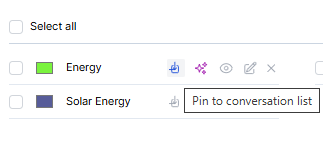
Since the beginning of AMI development, we have supported to set your own tag labels. Generated and assignable; one or more.
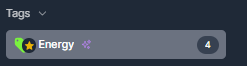
These labels will "by default" shown, inside the AMI client, left side. And remain visible as long as conversation is open. Favorite your tag is also possible - then on the top of the list!
Note.When the tag is "published" to a conversation, it will be selectable as search item inside the AMI search bar. When no more conversation is labeled, the allowance to search on the tag is removed
By time, we als support "auto set" tag labels. For different type of use cases like
- park
- duplication conversation
- note
- alert
Note. depending of the case, these will be also turned off automatically
Another best practice that is supported, is to integrate Genesys workflow with data action to data table. This allows to track the content of the conversations and label with keywords that are spot
Within the last developments of AMI, we also support AI tagging. That means "auto-generated" or manual created tags, which work in conjunction of AI. AI will look into the context of the conversation and label the conversation. With AI tagging we create the entrance to AI-for-AMI which is an automation for handling conversations. .Interested? Schedule an appointment for an AI-for-AMI session.
Notes
AMI tags are stored inside Genesys CX as participant data.
Due to AMI searching support, and the fact the participant data isn't stored equivalent to the interaction date, we do store the AMI tags also inside the AMI database tabel.